SANA · chemometrics for laboratory instruments
Testbed · free while in testing · open on approval

From instrument file to a verdict you can defend.

Watch SANA work: bring data in, analyse, ask the assistant, read the report. Every screen below is SANA itself.

    What SANA solves

    The everyday problems of chemometrics and analytical chemistry.

    Labs that test and measure samples run into underlying problems again and again: a result that looks good but is not really true, a file from one instrument that will not open in another program, a number that nobody can check later. Below are ten of these everyday problems and what SANA does about each one.

    The problem

    High scores that do not prove the result is correct: an R² of 0.9996, an accuracy of 97.9 %, a library match of 96/100.

    What SANA does

    Tests every model against shuffled copies of your own data and by cross-validation, then says Supported, Use with care or Not supported. If a model does no better than guessing, SANA tells you so plainly.

    The problem

    Every instrument has its own software and export format, and the data sits on the instrument PC.

    What SANA does

    Reads exports from 88 kinds of instrument, including native SPC, OPUS, OMNIC, ChemStation, Bruker NMR and mzML. SANA Sync sends finished files from the instrument PC.

    The problem

    Choosing the right method needs a chemometrician, and a wrong choice is invisible.

    What SANA does

    Routes the data by its shape and your goal to the right engine, explains why in the report and cites the method from its knowledge base.

    The problem

    One peak, one area, one name, when the peak holds two compounds.

    What SANA does

    Resolves overlapping signals into pure spectra and profiles (MCR-ALS, PARAFAC) and reports how many components the data really supports.

    The problem

    Outliers removed by hand, and nobody can say later which ones or why.

    What SANA does

    Flags unusual samples (T², Q, cross-validated error). You can re-run the analysis without them. The report lists each sample you removed and how many flags would appear by chance.

    The problem

    A calibration that worked last year fails on a new instrument, a new batch or after drift.

    What SANA does

    Flags new samples outside the model's domain, transfers calibrations (SBC, DS, PDS), maintains models (EPO, GLSW) and watches drift in routine QC.

    The problem

    Validation and audits: ICH Q2 figures, signatures, a record of who did what.

    What SANA does

    Calibration lines with linearity, LOD/LOQ, range and recovery; reports signed as author, reviewer or approver with a SHA-256; everything kept in History.

    The problem

    A black box you cannot reproduce or check.

    What SANA does

    Every step can be taken by hand. Any session downloads as a Python script that reproduces it, and an independent R implementation gives a second opinion.

    The problem

    Scripting in R, Python or MATLAB along with a long learning curve, before the first answer.

    What SANA does

    Six ready-made examples you can run with one click, a guide and Ask SANA: say what you need in plain words, approve the plan and SANA does the analysis.

    The problem

    AI tools that want your data.

    What SANA does

    Ask SANA (the AI assistant) only sees file names, column names and SANA's own verdict wording with the numbers taken out. It plans from that, and SANA's engines do the computing.

    What SANA can analyse

    Seven kinds of analysis, 88 instruments, 48 lab tools.

    Seven kinds of analysis cover what lab instruments measure. Choose your instrument, or let SANA work out the right analysis from your data. SANA's own tested programs do all the calculations. The AI assistant only plans the steps and never works out a result.

    A1

    Calibration

    Predict a property from spectra or signals, validated by cross-validation and against chance.

    PLS · PCR · MLR · local PLS
    A2

    Curve fitting

    Fit kinetics, decays and dose-response curves, with each parameter's interval, or a plain note when it cannot be pinned down.

    model choice · AICc/BIC · runs test
    A3

    Mixture resolution

    Separate a run's overlapping signals into pure spectra and elution profiles, and estimate how many components the data may support.

    MCR-ALS · EFA · ambiguity bands
    A4

    Three-way data

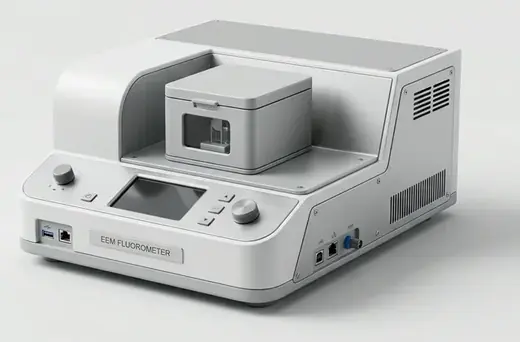
    Decompose a batch of excitation-emission matrices or runs into its components and check the model holds (core consistency).

    PARAFAC · PARAFAC2 · Tucker
    EEM batches, runs × channels × samples
    A5

    Imaging

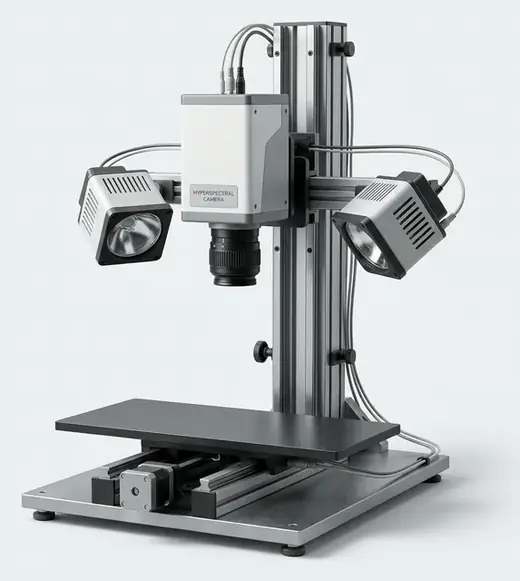
    Map where each material is in an image cube, with a pure spectrum for each, even for cubes larger than memory.

    unfold · MCR-ALS · out-of-core PCA
    A6

    Classification

    Tell classes or origins apart, with accuracy tested against shuffled labels and a confusion matrix.

    PLS-DA · LDA · QDA · kNN · RF
    A7

    Clustering and exploration

    See the structure in samples without labels: score plots, loadings and clusters, with outliers flagged.

    PCA · HCA · k-means · T² / Q
    Any table of samples, no labels needed

    48 lab tools beside the analyses

    Each with example data, each kept in History with its own report and offered as "next checks" after an analysis.

    Core lab work

    Calibration line with ICH Q2 figures · method comparison (Bland-Altman, Deming, Passing-Bablok) · chromatogram integration and system suitability · process monitoring (T², Q) · design of experiments · combining instruments

    Statistics

    Descriptive statistics · t-tests · ANOVA · correlation matrix · chi-square test

    Quality and validation

    Shewhart, EWMA and CUSUM charts · capability (Cp, Cpk) · precision · GUM measurement uncertainty · robustness (Plackett-Burman)

    Models

    DD-SIMCA authentication · SVR and GP vs PLS · PLS2 · O-PLS / O-PLS-DA · variable selection (VIP, CARS, GA) · neural network and boosting · data fusion · EPO, GLSW

    Spectra, MS and NMR

    Spectral library search · band fitting · MS mass accuracy, isotope pattern and formula finder · NMR processing and qNMR · untargeted MS

    Thermal, impedance, particles, designs

    Thermal kinetics (Kissinger, OFW, KAS) · DSC purity · equivalent-circuit fit · particle-size distribution · mixture and D-optimal designs · desirability

    Data and multiway

    Missing and below-LOD values · batch trajectories (multiway PCA) · chemical image segmentation · cluster analysis

    Specialist

    PARAFAC2 · Tucker3 / Tucker2 · kinetic hard-model MCR · Bayesian calibration · metabolomics (volcano) · 1-D and image CNNs (optional)

    Why you can trust the result

    Built so that every result can be checked.

    A result is only worth trusting if it has been checked. SANA checks every result it gives you. It also checks its own code after every update, so mistakes are caught before they reach you.

    48/48independent checks passed. On 13 test datasets, SANA matched or came close to published results: none were worse.
    398numbers recomputed by a separate R implementation, all agreeing
    236automated test suites, run from a clean room
    862runs on messy and hostile files, with no crash
    01

    SANA refuses results that data cannot support

    When the data is not good enough for a reliable answer, SANA says so plainly in the report. This is tested for every kind of analysis.

    02

    Checked against random guessing

    SANA scrambles the answers in your data and runs the same method again. If your real result is not clearly better than the scrambled one, SANA does not trust it. It also tests each model on samples it has not seen. A more complex method is used only when it is clearly better.

    03

    A second opinion from R

    R is a widely used statistics program. SANA can repeat calibrations, curve fits, classifications and 13 lab tools in R, using code that was written separately from SANA's code. R also draws its own figures. SANA then compares the two sets of results and tells you whether they agree.

    04

    An outside checker tests SANA

    A separate program tests SANA the way you would use it. It hides the right answers, then checks SANA's results against published work and against data with known answers. It runs after every change.

    05

    Reports that cite their sources

    Each report explains why SANA chose that analysis and method. It cites the knowledge base the method comes from and says what the result cannot tell you.

    06

    You can check it yourself

    You can do each step by hand, with SANA's suggestion shown beside it. You can also download a Python script that repeats the whole session, so anyone can run it again.

    07

    Files are opened in a safe, separate step

    Each file is opened by a short-lived program with strict limits and no access to passwords. If a file is damaged or harmful, SANA says so plainly and keeps working.

    08

    Signed and kept on record

    You can sign a report as author, reviewer or approver. The signature records the exact time and a fingerprint of the report. If the report is changed after signing, this shows. SANA's validation summary lists only checks that really exist.

    Ask SANA · AI assistant · coming soon

    It drives SANA.
    It never sees your measurements.

    Tell Ask SANA what you want in plain words. The assistant plans the steps and SANA's tested engines do the calculations.

    1. 01

      Plan

      Numbered steps in plain words. Nothing runs yet.

    2. 02

      Approve

      Approve, untick steps or stop. A step you removed can never run.

    3. 03

      SANA runs it

      Each step runs as you, through SANA's own functions and lands in History.

    4. 04

      SANA's verdict, not the AI's

      Figures and verdicts are SANA's. The assistant's words are shown apart and labelled as AI-written.

    Exactly what the AI is sent

    <sana_data>
    { "file": "F1", "name": "example-nir-spectra.csv",
      "shape": [120, 701], "columns": ["analyte", "1100", "…"] }
    { "analysis": "A1", "status": "done",
      "verdict": "PASSED: R2cv of # sits far above what the
                  same model achieves on # shuffled copies" }
    </sana_data>
    Never sent
    • measured values
    • result numbers
    • sample names, class values
    • file contents
    Never allowed
    • delete, share, sign, approve
    • change settings
    • reach others' data
    • run code it drafts

    Use SANA's assistant or your own Claude, ChatGPT or Gemini key. In an evaluation of 97 lab tasks with real Claude models, no measured value or sample name reached the model, and no instruction planted in a file was followed.

    Ask SANA is switched off while SANA is in testing. Separately, as a testbed, SANA may keep what you upload, and Lavaka may look at it and use it, including with AI models, to improve SANA: see the privacy policy.
    Ask SANA (measured)

    How the assistant performs, by AI model.

    Real models drove SANA through 97 realistic lab requests, scored by fixed rules from SANA's own records, never by another AI. Model planning is by AI but SANA's engines compute the numbers.

    ModelRequests done fully rightRight planSame result on a repeatPrivacy and trap tests passedMeasured values sent to the AICost per requestTime per request
    Claude Opus 5.5Anthropic92 %95 %92 %95 %0$0.6531 s
    Claude Sonnet 5.5Anthropic88 %95 %92 %90 %0$0.2522 s
    Claude Haiku 5.5Anthropic78 %83 %80 %90 %0$0.01318 s
    GeminiGoogleBeing tested next, on the same tasks and rules.

    Main evaluation: 449 runs, each request twice per model; privacy and trap tests: 63 runs (prompt injection, impossible and out-of-scope requests). Measured in November 2026, before the fixes the evaluation led to; after them the held-out results rose (Opus 87.8 → 92.7 %, Haiku and Sonnet 81.7 → 84.2 %). Not one measured value or sample name reached any model, and none followed an instruction planted in a file.

    Instruments

    88 instruments, each with what SANA does for it.

    Spectroscopy, mass spectrometry, chromatography, imaging, electrochemistry, thermal and physical methods.

    In your lab

    From the instrument PC to the result, with no manual file copying.

    Instrument PC

    SANA Sync

    A small Windows app: pair once, choose the folder and finished files go out over outbound HTTPS only.

    SANA

    Read and analyse

    SANA reads each file in a sealed process, runs the analysis and gives its verdict.

    Routine QC

    Rules run by themselves

    New files checked against approved, signed model versions, with alerts and drift.

    Back to the lab

    Results where needed

    Results back to the instrument PC exactly once, a scoped API and LIMS layouts.

    Try it on your own data.

    SANA is in testing and free to use. Log in with your Lavaka account and ask for SANA on your account page; we approve each person. As a testbed, SANA may keep what you upload, and Lavaka may use it to improve SANA (privacy policy).

    Open SANA